
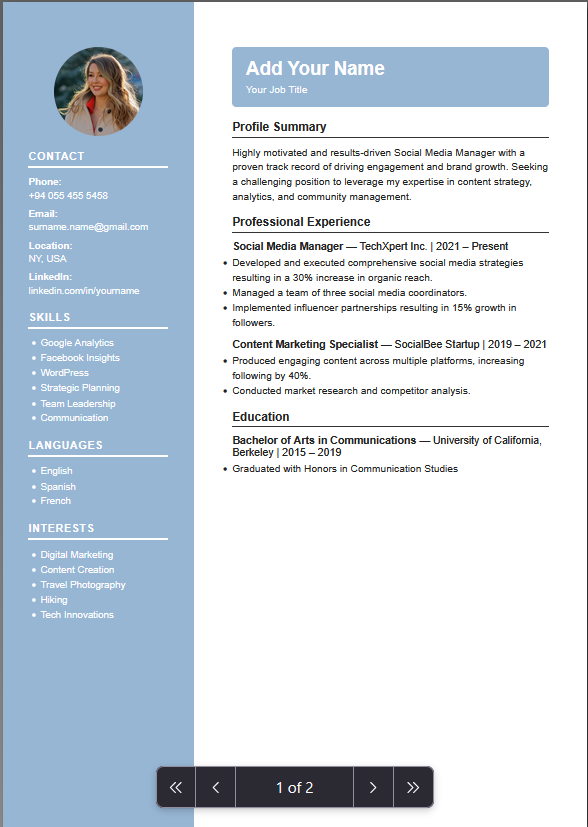
ATS FriendlyProfessional
Modern Professional
A clean layout with strong visual hierarchy. Gives your experience plenty of room while keeping the page easy to scan.
BEST FORBusiness, IT, marketing and experienced professionals
Use this template →Free ATS-Friendly CV Builder 2026
Create a professional CV or resume online free. Choose a clean ATS-friendly template, add your experience and download a ready PDF in minutes. No signup required.
Fast, free and no signup required.
Clean layouts that look polished and ready for any job application.
Add experience, skills and education without design skills.
Generate a professional PDF CV in minutes.
Templates designed to pass applicant tracking systems.
A CV (Curriculum Vitae) is a document that shows employers your professional background, experience, education and skills. A strong CV helps you get more interview calls.
Add the basic details an employer needs to contact you — name, email, phone number and relevant professional links.
A short introduction that gives the reader a quick idea of your background, strengths and the role you are looking for.
Show where you have worked, what you did and the results or improvements you helped achieve.
List your relevant degrees, diplomas and courses in a clear, easy-to-follow format.
Include skills that are relevant to the position rather than a long list of unrelated abilities.
Projects and certifications demonstrate practical experience and knowledge that matters for the job.
ATS (Applicant Tracking System) is software many companies use to scan and filter CVs. An ATS-friendly CV uses clear headings, simple structure and relevant keywords so both the system and recruiters can read it easily.
See ATS-friendly templates →Use familiar headings such as Experience, Education and Skills so your information is easy to identify.
A clean layout keeps your content readable instead of hiding information inside complicated designs.
Use terminology and skills that genuinely match the position you are applying for.
Keep fonts, spacing and sections consistent throughout the document.
A clean layout with strong visual hierarchy. Gives your experience plenty of room while keeping the page easy to scan.
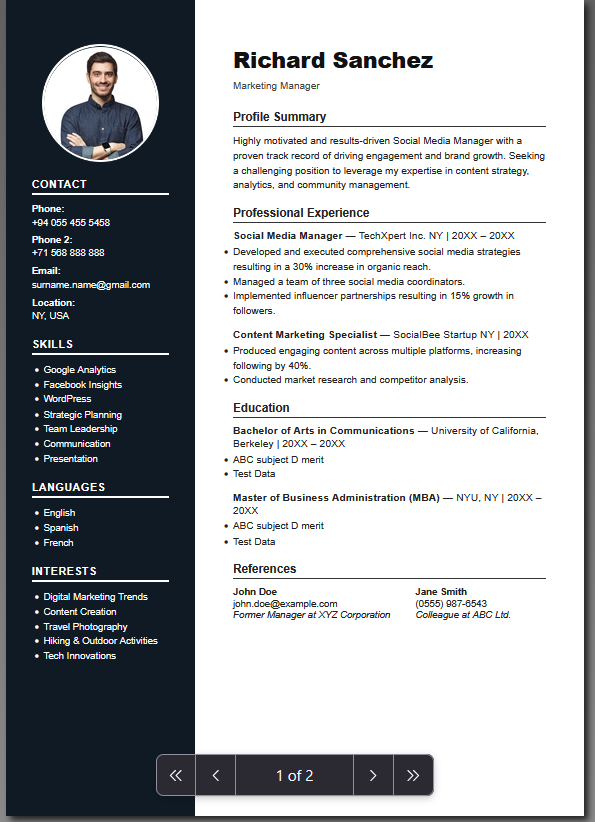
A straightforward design that keeps attention on your experience, education and skills rather than decoration.
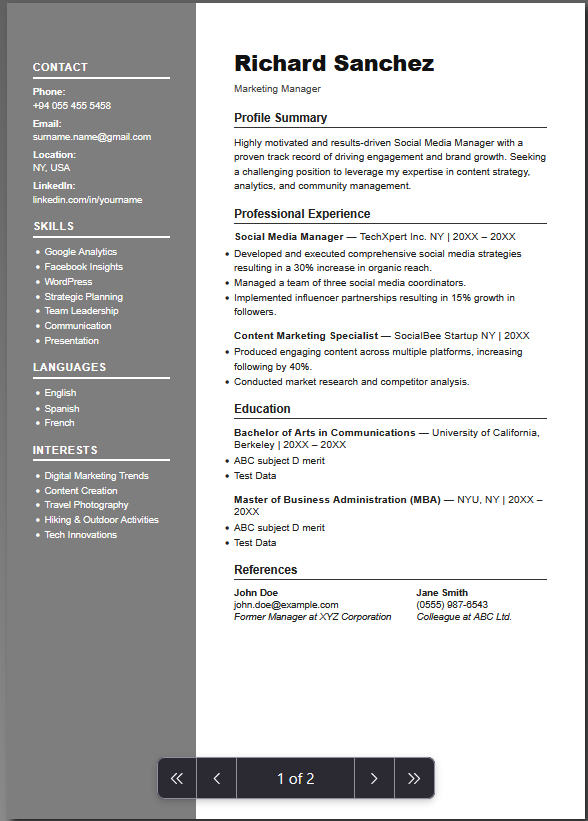
A structured layout designed for people with several years of professional experience and a longer career history.
Browse layouts and pick one that matches your industry and experience level.
Enter your details, summary, work experience, education and skills.
Your information is placed into the selected template automatically.
Check content, spelling, dates and formatting before you download.
Download your CV and use it when applying for your next opportunity.
A clean design helps, but the words on your CV are what convince recruiters. Follow this guide to write a resume that stands out.
Start with a few sentences that explain your experience, strongest skills and the kind of work you are looking for.
Explain what changed because of your work. Numbers and measurable results make an experience section much stronger.
Read the job description and focus on the skills that genuinely match the role.
Use the same style for headings, dates, spacing and bullet points throughout your CV.
A spelling mistake or wrong phone number is easy to miss after working on a document for a long time.
See how developers present technical skills, projects, experience and education.
View example →A practical example for presenting accounting experience, qualifications and skills.
View example →Learn how to highlight campaigns, achievements and digital marketing skills.
View example →A useful starting point when you are entering the job market with limited experience.
View example →See how technical experience, projects, certifications and education can be presented.
View example →Focus on leadership experience, responsibilities and measurable achievements.
View example →A CV gives a detailed overview of your education, professional experience, skills, qualifications and achievements. It is often 2+ pages.
A resume is shorter, usually 1–2 pages, and focuses on the experience and skills most relevant to a particular position.
A CV should focus on the experience and skills that matter most for each position.
Large blocks of text are hard to scan. Use short sections and bullet points.
Explain what you achieved rather than only what you were expected to do.
Use your CV space for information that helps prove you are suitable for the role.
Colors, graphics and complicated layouts distract from your actual content.
Make sure your email, phone number and links are correct before sending.
A CV is a document that summarizes your professional background, including your experience, education, skills and relevant qualifications.
An ATS-friendly CV uses a clear structure and readable formatting that makes the information easier for applicant tracking systems and recruiters to process.
Yes. Choose a template, enter your information and customize the content before downloading your finished CV.
The finished CV can be prepared for PDF download so you can use it when applying for jobs.
Choose based on your career stage, industry and the type of information you need to highlight. Simple layouts work well for many applications, while other designs may suit more experienced professionals.
There is no single length that works for everyone. Keep your CV focused on relevant information and remove details that do not help your application.
This depends on the country, industry and employer. Check the expectations for the location and type of job you are applying for before adding one.
Yes. Students can use education, projects, internships, volunteer work and skills to build a useful CV even with limited professional experience.
Choose an ATS-friendly template and download your PDF resume in minutes. No signup required.
Create My Free CV →