Free CV Templates 2026 – Download Professional CV Online (No Signup)
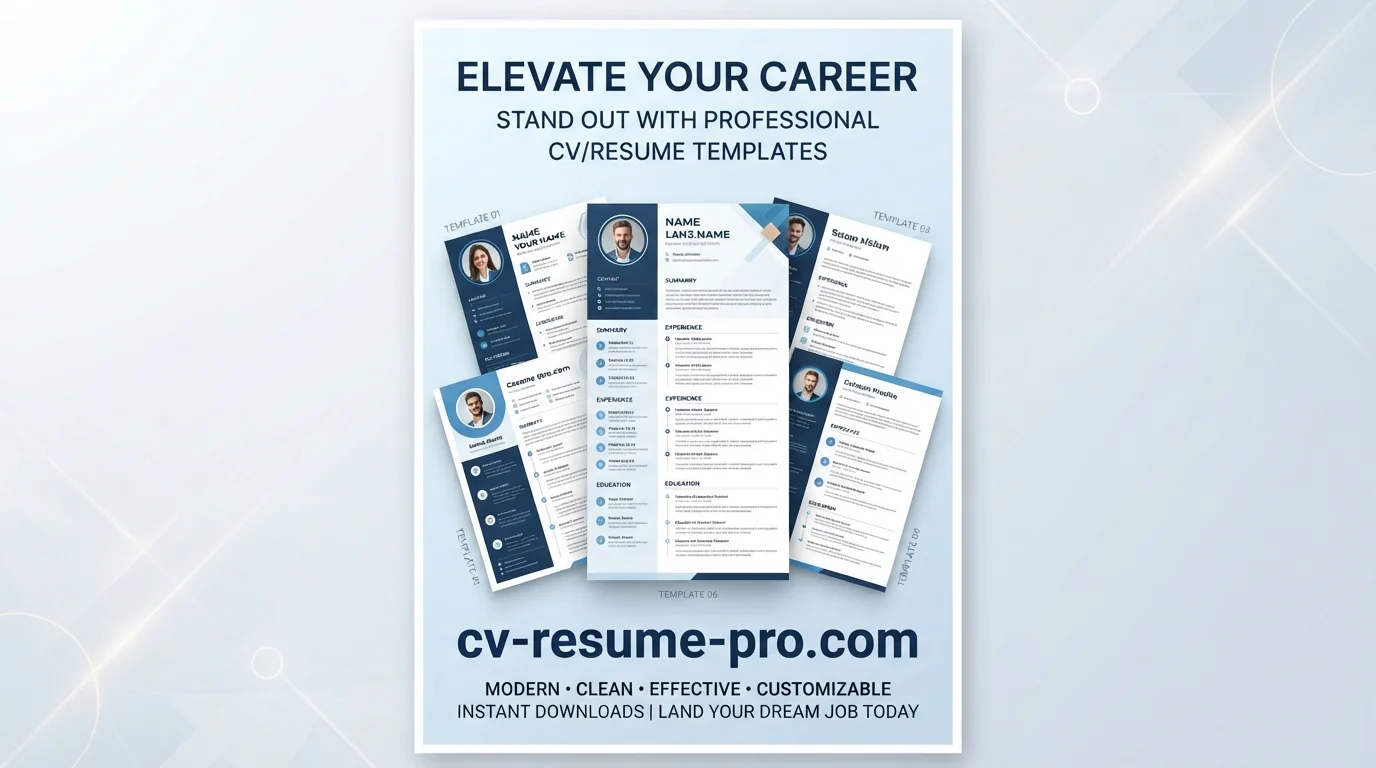
Looking for free CV templates you can actually use without paying, without signing up, and without a watermark? You have come to the right place. CV Resume Pro offers a growing collection of professional CV templates — all optimised for ATS systems, editable in your browser, and downloadable as PDF.
In this guide, we explain how to choose the right free CV template, how to use our free CV maker, and how to avoid the mistakes that ruin otherwise good CVs. Whether you are a fresher, a mid-career professional, or an executive, you will find a template that fits.
Why Use a Free CV Template?
Most job seekers make one of two mistakes:
- They start from a blank Word document and end up with a messy, unprofessional layout.
- They pay for a "premium" template that looks nice but fails ATS screening.
A good free CV template solves both problems. It gives you a professional structure that looks great, is ATS-friendly, and can be edited in minutes.
What Makes a Great Free CV Template?
- Single-column layout – Safe for ATS parsing
- Standard section headings – Experience, Education, Skills
- Clean typography – Arial, Calibri, Helvetica
- PDF export – Preserves formatting everywhere
- Optional photo section – For regions where a photo is expected
- No watermark – Your CV should be yours alone
- No signup requirement – You should not need an account to download your own CV
Our Free CV Templates Collection
Blue Minimalist Modern CV Template
Modern blue sidebar, ideal for business, IT, and marketing roles. ATS-friendly.
Simple Professional CV Template
Professional dark sidebar design. Great for corporate and management positions.
Simple CV Template
Minimal, no-nonsense layout. Perfect for freshers and ATS-only applications.
Free CV Template
Complete layout with all essential sections. Free forever.
CV Template for Word
Editable in Microsoft Word. Ideal if you prefer Word over online tools.
PDF CV Design
Polished PDF-ready layout. Great for email applications.
Free ATS Templates
Strictly optimised for Applicant Tracking Systems.
ATS CV Template Design
Clean structure that passes ATS and looks professional.
Free CV Builder Templates
Start from a blank professional template and build your CV.
Free ATS CV
Lightweight ATS template for quick job applications.
How to Use the Free CV Maker
Our free CV maker works entirely in your browser. No download, no signup, no software installation. Here is how it works:
Step 1 – Pick a Template
Browse the templates above and click "Use This Template" on the one you like.
Step 2 – Fill in Your Information
Add your name, job title, contact details, professional summary, work experience, education, and skills. The template updates live as you type.
Step 3 – Customise Colours (Optional)
Most templates let you change the sidebar colour and font colour. Use dark colours for corporate roles, softer colours for creative roles.
Step 4 – Download as PDF
Click "Print / Save as PDF" and choose "Save as PDF" in the print dialog. Your CV is saved as a PDF file ready to send to employers.
Free CV Template vs Paid Template – Is There a Difference?
| Feature | Free Template | Paid Template |
|---|---|---|
| Cost | Free | $5–$30 |
| ATS-friendly | Often yes (ours are) | Sometimes |
| Watermark | No | Depends |
| Signup needed | No | Usually yes |
| Editing online | Yes | Sometimes |
For most job seekers, a free CV template is more than enough. There is no benefit to paying for a CV template unless you need very specific industry layouts (design, fashion, film) — and even then, we offer plenty of options.
Which Free CV Template Should You Choose?
For Freshers and Graduates
Use a Simple CV Template. It focuses on education, projects, and skills — perfect for your first job.
For Experienced Professionals
Use a modern template or the Simple Professional CV. These give more space for career history and achievements.
For ATS-Only Applications
Use an ATS template. These have minimal design and maximum readability for applicant tracking systems.
For Corporate / Management Roles
Use the Simple Professional CV Template with a dark sidebar. It looks confident and executive without being decorative.
For Creative Roles
Use the Blue Minimalist Modern CV. It is modern but still ATS-compatible.
Tips for Getting the Most Out of a Free CV Template
- Customise it. A template is a starting point. Adjust the sections to highlight what matters for your target job.
- Match the job description. Pull keywords from the job posting into your CV.
- Keep it 1–2 pages. Only go beyond 2 pages for academic CVs.
- Save as PDF. PDF preserves formatting on every device.
- Rename the file professionally. Use "Firstname-Lastname-CV.pdf" not "cv final v3.pdf".
- Test on mobile. Many recruiters review CVs on their phones. Make sure your layout looks good on a small screen.
Frequently Asked Questions
Are free CV templates really free?
Yes. Every template on CV Resume Pro is free to use, edit, and download. No signup, no watermark, no hidden fee. You can create as many CVs as you need.
Can I use a free CV template for professional jobs?
Absolutely. A good free CV template is indistinguishable from a paid one when the content is strong. What matters is the structure, formatting, and content — not the price tag.
How do I download my CV as a PDF?
Click "Print / Save as PDF" in the CV maker, choose "Save as PDF" as the destination, and your file is saved to your computer.
Do I need to sign up to use your CV maker?
No. You can edit and download your CV without creating an account. Your data stays in your browser.
Can I edit a free CV template on mobile?
Yes. The editor works on mobile browsers. For the best experience, use a desktop or laptop, but mobile works fine for quick edits.
How many pages should my CV be?
1 page for freshers. 2 pages for professionals with 5–10 years of experience. 2–3 pages for senior executives or academics.
Which free CV template is best for ATS?
Choose any single-column template with standard section headings. Our Free ATS Templates are specifically designed for this purpose.
Create Your Free CV Now
Start Building Your CV in Minutes
Choose a free template, fill in your details, and download your CV as PDF. No signup required.
Create My Free CV →