ATS Resume Guide 2026 – How to Pass Applicant Tracking Systems
If you have been applying for jobs without hearing back, an ATS resume problem is often the reason. Most medium and large companies in 2026 use Applicant Tracking Systems (ATS) to automatically screen resumes before a recruiter sees them. If your CV does not pass this first filter, no human will ever read it — regardless of how qualified you are.
This guide explains exactly how ATS works, why it rejects certain CVs, and what changes you need to make so your resume reaches real recruiters. We also include recommended ATS-friendly CV templates you can download and edit for free.
What Is an ATS (Applicant Tracking System)?
An ATS is software that companies use to collect, store, and screen job applications. When you apply through a job portal (like LinkedIn, Indeed, Bayt, Naukri, or a company careers page), your CV goes into the ATS — not directly to a human.
The ATS then:
- Parses your CV into structured data (name, contact info, education, experience, skills)
- Scans for keywords matching the job description
- Ranks candidates by relevance score
- Filters out CVs it cannot read or those missing key information
Some of the most widely used ATS software includes Workday, Taleo, Greenhouse, Lever, and iCIMS. They all work on similar principles — and they all fail on the same types of CVs.
Why ATS Rejects CVs – The 7 Most Common Reasons
1. Tables and Text Boxes
ATS software cannot read content inside tables or text boxes. If your experience or skills are inside a table, they will be skipped entirely.
2. Multi-Column Layouts
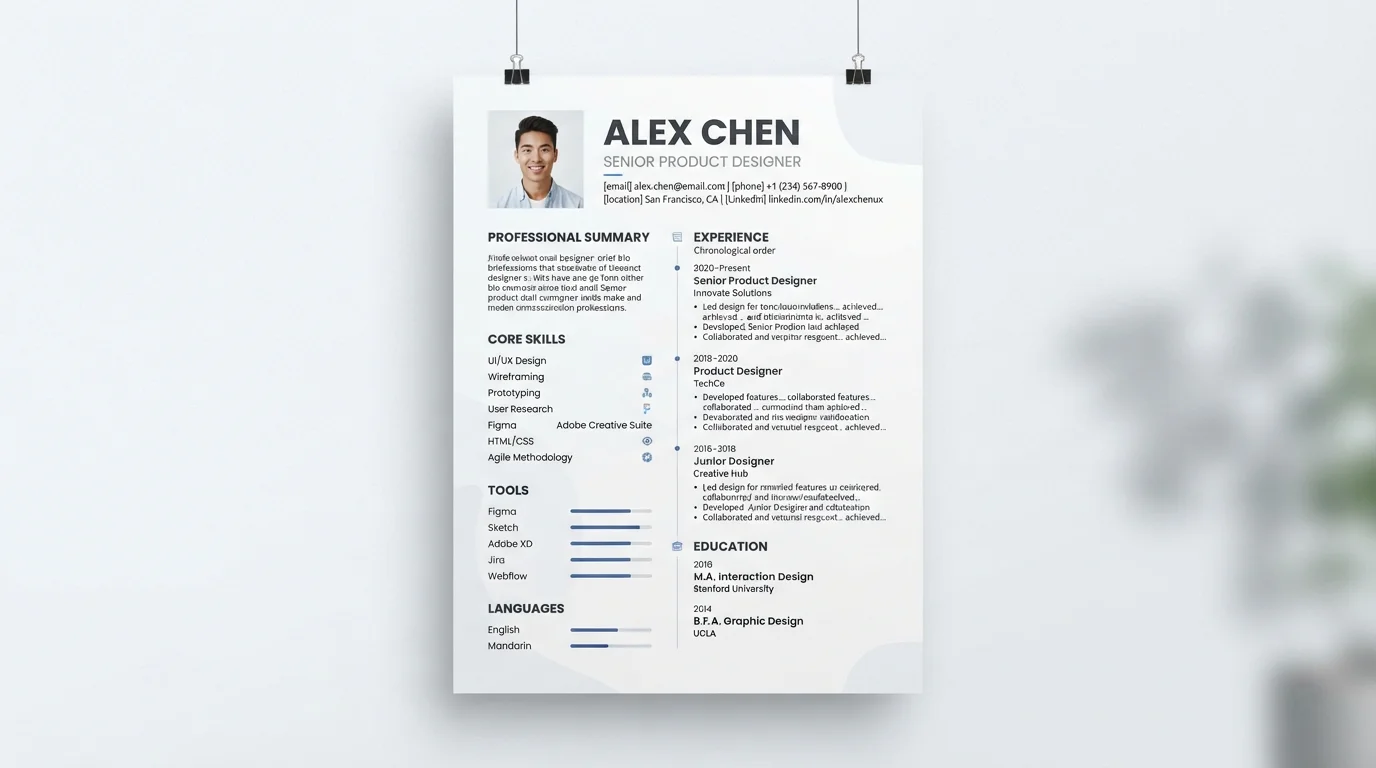
Two-column layouts (sidebar + main area) often confuse ATS. The parser reads left to right and jumbles the content, mixing skills with experience.
3. Images and Graphics
Any text inside an image is invisible to the ATS. This includes logos, icons, and infographic-style skills bars.
4. Unusual Fonts and Symbols
Fancy fonts and decorative bullet points (★, ◆, ▶) often fail to parse. ATS expects standard fonts like Arial, Calibri, or Helvetica, and standard bullet points (•).
5. Missing Keywords
If the job description mentions "Python," "salesforce," or "project management" and your CV does not contain those words, you will rank low. ATS matches keywords between the CV and job description.
6. Scanned PDFs
A scanned CV is just an image. ATS cannot extract any text from it — so it may be rejected immediately.
7. Non-Standard Section Headings
If you write "Where I Have Worked" instead of "Work Experience," the ATS may not recognise the section. Stick to standard headings.
How to Create an ATS-Friendly Resume
Use a Single-Column Layout
One column, top to bottom. No sidebars, no tables, no boxes. This is the single most important change you can make.
Use Standard Section Headings
Use exactly these headings (or close variants):
- Contact Information
- Professional Summary
- Work Experience
- Education
- Skills
- Certifications
- Projects
Use Standard Fonts and Sizes
Arial, Calibri, Helvetica, Times New Roman. Body text 10–12 pt. Headings 14–18 pt. Black text on white background.
Add Keywords from the Job Description
Read the job description carefully. Note the required skills, tools, and qualifications. Include these words naturally in your CV — especially in your summary, skills, and experience sections.
Use Standard File Format
Save as PDF unless the employer specifically asks for Word (.doc or .docx). Modern ATS software reads PDFs correctly, and PDF preserves formatting.
Do Not Use Headers or Footers
Content in headers or footers is often ignored by ATS. Put all important information in the main body of the document.
Avoid Special Characters and Emojis
Use standard hyphens (-), en-dashes (–), and bullets (•). Avoid emojis, icons, and decorative symbols.
ATS-Friendly CV Template Example
Here is the structure of a clean ATS-friendly CV:
- Name (large, bold) at the top
- Contact line – Phone · Email · Location · LinkedIn
- Professional Summary – 3–4 sentences
- Work Experience – Job title, Company, Dates, 3–5 bullet achievements
- Education – Degree, University, Year
- Skills – Comma-separated list of relevant tools and abilities
- Certifications – Course name, provider, year
You can download ready-made versions from our collection of free ATS-friendly CV templates.
ATS Keywords – How to Choose the Right Ones
Every job description has a hidden list of keywords the ATS is looking for. Your job is to identify and include them.
Where to Find Keywords
- The job title itself
- The required skills section
- The responsibilities section
- Any "preferred qualifications" list
- Repeated words in the description
How to Use Keywords Naturally
Do not keyword-stuff. Instead, weave keywords into your summary, experience bullets, and skills section naturally.
Bad (stuffed): "SEO SEO SEO digital marketing SEO expert Google Analytics Google Analytics Facebook Ads."
Good (natural): "Digital marketing specialist with 5 years of experience in SEO, Google Analytics, Facebook Ads, and content strategy. Improved organic traffic by 120% using on-page SEO and backlink campaigns."
ATS Friendly CV vs Non-ATS CV – Side by Side
| Feature | ATS-Friendly | Not ATS-Friendly |
|---|---|---|
| Layout | Single column | Two columns |
| Font | Arial, Calibri | Decorative |
| Sections | Standard headings | Creative headings |
| Format | Text-based PDF | Scanned image |
| Keywords | Matched to job | Generic |
Free ATS-Friendly CV Templates
You do not need to build an ATS-friendly CV from scratch. Our templates are already optimised for ATS systems:
- Free ATS Templates – several layouts to choose from
- ATS CV Template Design – clean, professional structure
- Simple CV Template – minimal and ATS-friendly
- Free ATS CV – basic ATS-optimised layout
All templates are free, editable online, and downloadable as PDF.
Frequently Asked Questions
What is an ATS resume?
An ATS resume is a CV that has been formatted so an Applicant Tracking System can read and parse it correctly. It uses a single-column layout, standard headings, standard fonts, and keyword-rich content that matches the job description.
How do I know if my CV is ATS-friendly?
Check these three things: (1) single-column layout, (2) standard section headings, (3) PDF with real text (not scanned). If your CV passes all three, it is likely ATS-friendly. You can also test it in our free CV maker which uses ATS-safe formatting.
Do I need keywords in my CV for ATS?
Yes. ATS software compares your CV to the job description and ranks you based on keyword matches. Include the exact keywords from the job posting — job titles, tools, skills, certifications — naturally in your CV.
Should I use a two-column CV template?
Two-column layouts look modern but often fail ATS parsing. If you are applying through a job portal (LinkedIn, Indeed, Bayt, Naukri, or company websites), use a single-column layout.
Is PDF or Word better for ATS?
PDF is generally better. Most modern ATS software reads PDFs correctly, and PDF preserves formatting. Only use Word if the employer specifically requests it.
Can I use a photo on an ATS-friendly CV?
If you are applying in the US, UK, or Canada — no photo. If you are applying in the UAE, Saudi Arabia, or parts of Europe — you may include a professional headshot, but keep it small and in the top corner.
Build Your ATS-Friendly CV Now
Free ATS-Friendly CV Templates
Choose a template, fill in your details, and download your CV as a PDF. No signup required.
Browse ATS Templates →